
Now MealLogger Pro allows you to connect to social group members to create a private connection to give individual coaching.
Requirements:
You must have a MealLogger Pro account to use this feature. To create a premium group, go to the "Groups" menu of the MealLogger Pro online. Then follow the directions to create a premium group.
Connecting with a group member for private coaching
1. View your group from the "Groups" menu
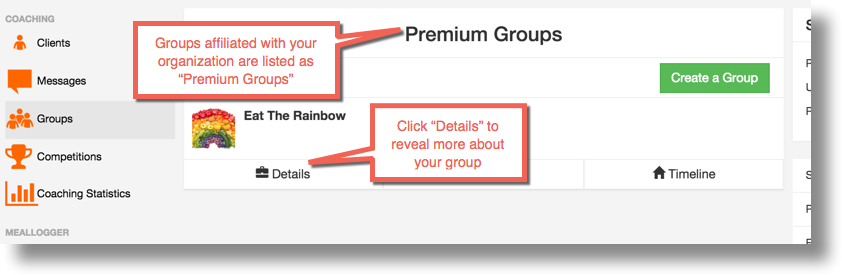
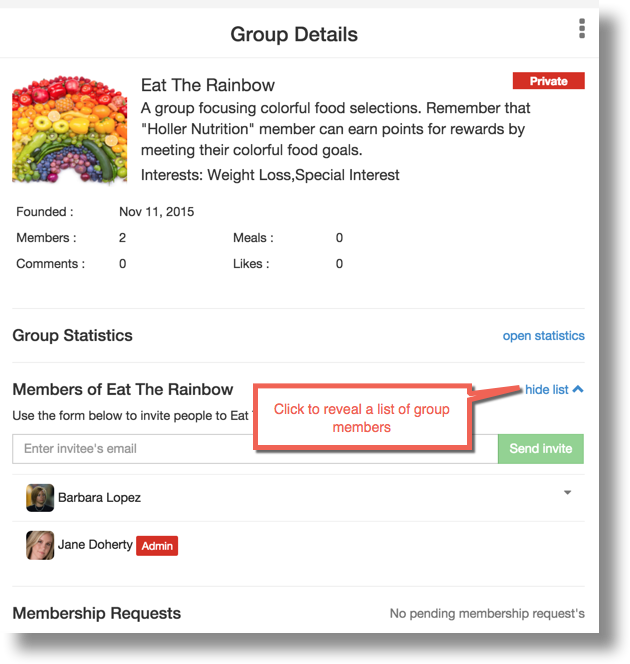
2. Open the Group Details page to reveal more management options. Find the group member name you want to connect for one-on-one coaching.
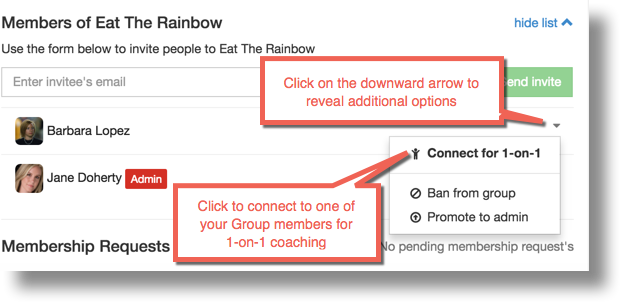
3. Click the small arrow next to the member's name and select the option to "Connect 1-on-1"
Comments
0 comments
Please sign in to leave a comment.